

Bambu Lab X2D Combo with AMS 2 Pro
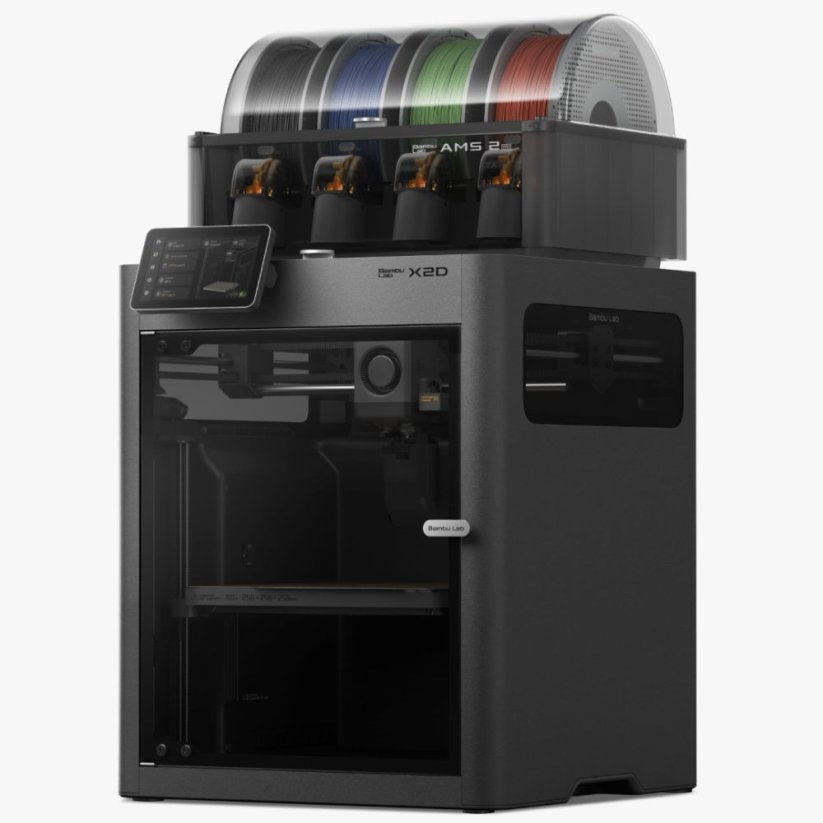
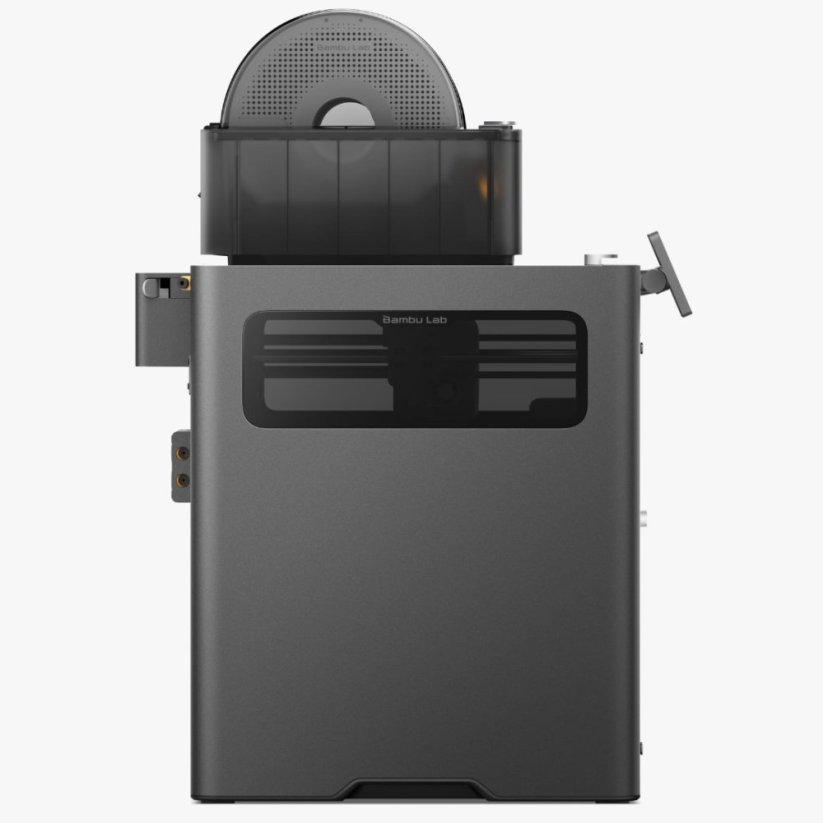


Bambu Lab X2D Combo with AMS 2 Pro

Bambu Lab X2D Combo with AMS 2 Pro combines dual nozzles, AMS 2 Pro and a 65 °C heated chamber. The result is easier multi-color printing, cleaner supports with interface material and lower waste than a typical single-nozzle setup. More
Product code: BAMX2DCOM Shipping and Payment
Bambu Lab X2D Combo with AMS 2 Pro combines dual nozzles, AMS 2 Pro and a 65 °C heated chamber. The result is easier multi-color printing, cleaner supports with interface material and lower waste than a typical single-nozzle setup. More
Product code: BAMX2DCOM Shipping and Payment
Bambu Lab X2D Combo with AMS 2 Pro
X2D Combo with AMS 2 Pro is the most practical version for users who want to get the most out of the dual-nozzle X2D right out of the box. Alongside the printer itself, you also get AMS 2 Pro, which makes more sense for multi-color printing, more frequent material changes and an overall smoother workflow.
This is where it becomes clear why the X2D is not just another “fast Bambu printer.” The two nozzles reduce waste during color changes and make more sense for support material, AMS 2 Pro simplifies working with multiple spools, and the 65 °C heated chamber pushes the machine further toward engineering materials. In practice, this combination is far more useful than generic marketing around AI and speed.
Why the combo version makes the most sense
- Two nozzles help reduce waste during multi-color and multi-material printing
- AMS 2 Pro included simplifies working with multiple spools and makes the X2D more practical for everyday use
- 65 °C heated chamber helps when printing engineering filaments
- 300 °C nozzle expands material options beyond standard hobby machines
- Up to 1000 mm/s speed and 20,000 mm/s² acceleration reduce turnaround time for prototypes and short runs of smaller parts
- Automatic nozzle alignment and Dynamic Flow Calibration help keep the workflow smooth even when materials change often
How to think about this setup in practice
The X2D Combo is not a replacement for a large H2D or for a full professional toolchanger. It is better understood as a smart combination of a more compact dual-nozzle printer and convenient material handling through AMS 2 Pro. If you often print support-heavy models, use a second color or want several materials ready without manual spool swapping, this combo makes a lot of sense. In practice, that means printing the model with the main nozzle and leaving the auxiliary nozzle for supports or interface material, so supports come off more cleanly with less risk of damaging the part.
Just like with the standalone X2D, the main nozzle is the one you want to use for the actual part. The auxiliary nozzle is most useful for supports, a second color and secondary material. That matters for setting the right expectations, and it is also one of the reasons why the X2D is interesting instead of generic.
Where the combo works best
- Multi-color models where lower waste and a smoother workflow matter
- Support-heavy models where cleaner support separation is important
- Functional prototypes and technical parts where the higher nozzle temperature and heated chamber are practical advantages
- Short runs and business use where speed, repeatability and less manual handling matter
When to choose the combo and when not to
If you already know you will print more than simple single-material parts, the combo version is the better choice than the standalone X2D. But if you mainly want a printer for regular day-to-day printing and would rarely use AMS, the standalone version may make more economic sense.
Good to know
- the main benefit is not just speed, but lower waste and more practical work with supports and colors
- the auxiliary nozzle is best used for supports, a second color and secondary material, not as a fully equal print head for everything
- the combo makes the most sense for users who want a more convenient Bambu workflow without constant manual spool swapping
- automatic nozzle alignment and Dynamic Flow Calibration run before printing, so frequent material changes do not mean as much manual setup work
- the auxiliary Bowden path is not ideal for standard soft TPU, so flexible materials are best planned mainly for the main nozzle
Technical specifications
| Parameter | Value |
|---|---|
| Build volume | 256 × 256 × 260 mm |
| Shared build area for both nozzles | 235.5 × 256 × 256 mm |
| Maximum nozzle temperature | 300 °C |
| Heated bed temperature | 120 °C |
| Actively heated chamber | 65 °C |
| Filament diameter | 1.75 mm |
| Included nozzle | 0.4 mm |
| Maximum toolhead speed | 1000 mm/s |
| Acceleration | 20,000 mm/s² |
| Display | 5" color touchscreen LCD |
| Cameras | Built-in Full HD camera + toolhead camera |
| Filtration | Three-stage filtration + active chamber control |
| Connectivity | dual-band Wi‑Fi, USB |
| Power | 200-240 VAC, 50/60 Hz |
| Outer dimensions | 392 × 406 × 478 mm |
Frequently asked questions
What is the main difference compared to the standalone X2D?
The combo adds AMS 2 Pro, making it more convenient for multi-color printing, material changes and working with multiple spools.
Is it better than a single-nozzle Bambu with AMS?
For users who care about supports, a second color and waste during material changes, yes. That is exactly where the benefit is most obvious.
Is it suitable for workshop or business use?
Yes, especially for prototypes, functional parts and short runs where convenience, speed and repeatability matter.
| Manufacturer | Bambu Lab |
|---|---|
| Filament diameter | 1,75 mm |
| Heated bed temperature | 120 °C |
| Hotend temperature | 300 °C |
| Print volume | 256 × 256 × 260 mm |
| External dimension | 392 × 406 × 478 mm |
| Nozzle diameter | 0,4 mm |
| Hotend type | All-metal |
| Extruder type | Direct |
| Compatible models | Bambu Lab X2D |
| Voltage | 200-240 VAC, 50/60 Hz |
| Camera | Built-in Full HD 1920x1080 |
| Device display | 5" (12.7cm) color touchscreen LCD |
| Interface | WiFi, Bambu-Bus, Micro-SD, USB |
| Filament sensor | Yes |